Feature
Virtual Driving for Dollars
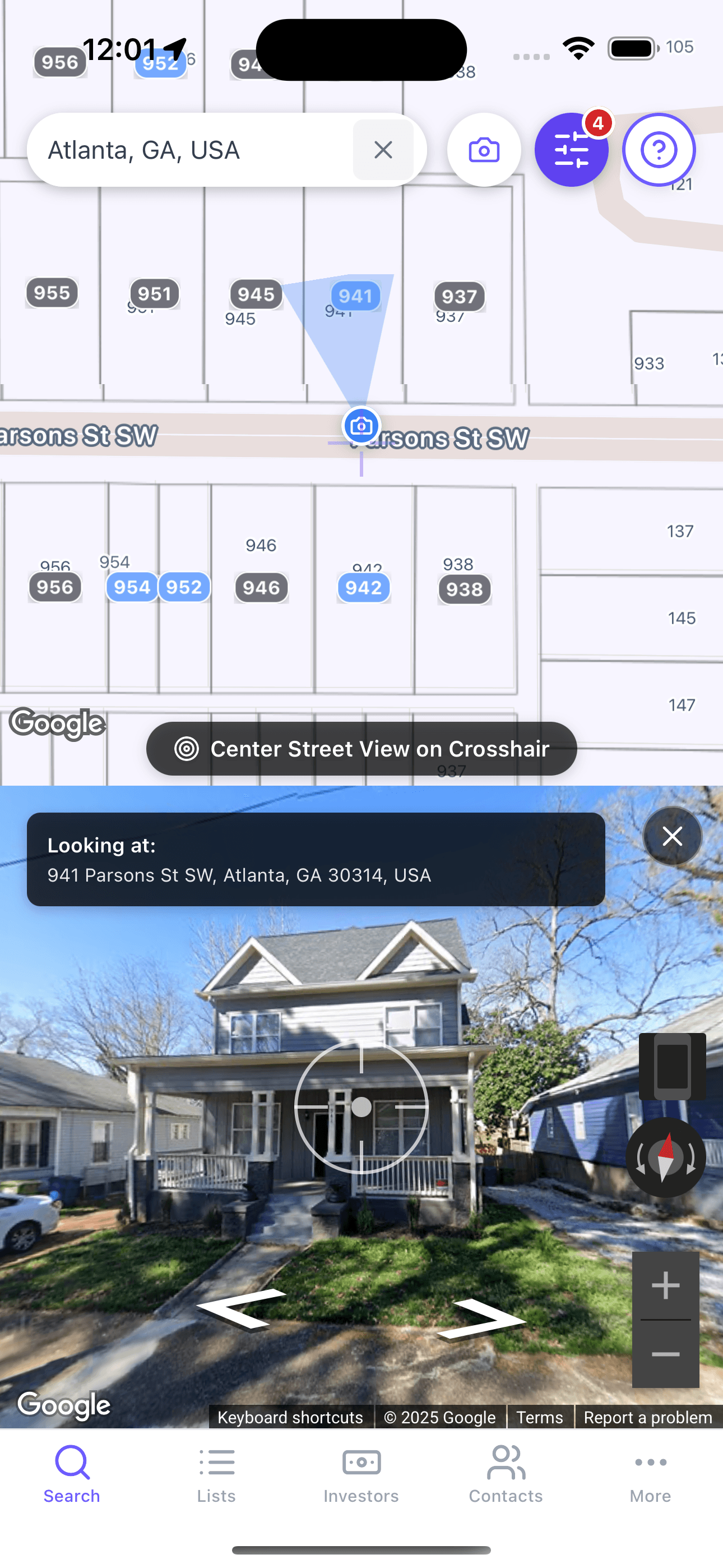
Virtual Driving for Dollars lets investors scan neighborhoods from a desk instead of only from a car. In JustPropertySearch, the workflow is built around Street View, point-and-identify property matching, and faster movement from neighborhood research into list building.
7 days free, then $39/mo • Love it or cancel in 2 clicks. No calls.
Definition
Driving for dollars traditionally means physically moving through neighborhoods, spotting properties that look neglected or mismanaged, and recording the addresses for follow-up. Virtual Driving for Dollars adapts that workflow for remote research.
JustPropertySearch positions this feature around Street View and SightLine targeting so investors can identify the property they are looking at more precisely, even in denser neighborhoods where a wrong click wastes time.
How It Works
- Open a target market or neighborhood inside the map workflow.
- Launch the virtual view experience and inspect streets block by block.
- Use the point-and-identify workflow to match what you are viewing with the underlying property record.
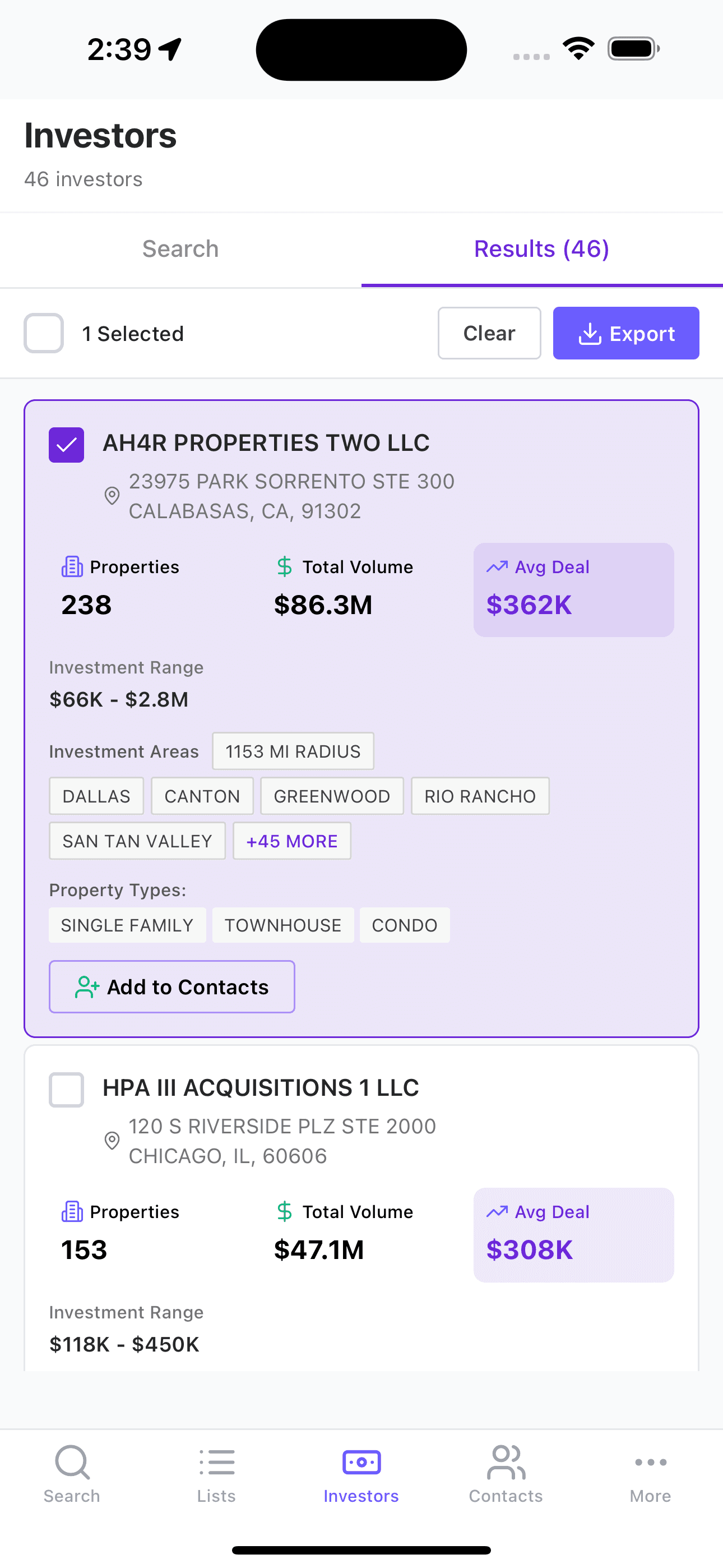
- Save promising addresses into your workflow for deeper filtering, contact research, or outreach.
The value is not just that you can look at a street remotely. The value is that the visual scan is tied back to an investor workflow instead of staying as loose notes in another app.
When to Use It
- When you want to cover more neighborhoods before committing time to in-person visits
- When your strategy depends on visually spotting deferred maintenance or ownership neglect
- When you need a quicker pre-screen before building a more targeted list
- When your team wants to combine visual scouting with list-building, skip tracing, and follow-up workflows
Workflow or Example
One common workflow is to start with a neighborhood investors already know, scan a few streets remotely, identify properties that merit a closer look, and then move those addresses into a saved list for filtering, validation, and outreach.
That works especially well when paired with absentee-owner, equity, or distress filters, because the visual signal becomes one more way to prioritize instead of the only reason to reach out.
Pros
- • Covers more ground before doing in-person visits
- • Helps investors visually pre-screen neighborhoods and addresses
- • Works well with list building and later outreach steps
- • Useful for teams that want a repeatable desk-based scouting workflow
Cons
- • Remote visuals do not replace property validation
- • Some opportunities will still require local context or field review
- • Street imagery timing may not reflect the latest property condition
Risks
- • Visual distress can be misread without ownership and data context
- • Older imagery can create false confidence or false negatives
- • Properties still need title, occupancy, and deal-fit validation before action
Step-by-Step Workflow
Step 1
Choose a target neighborhood
Start in an area that already fits your buy box or seller-outreach strategy.
Step 2
Scan with intent
Look for patterns that matter to your strategy instead of casually browsing every block.
Step 3
Identify the exact parcel
Use the product’s property-identification flow to connect the visual observation to the right record.
Step 4
Move the address into your workflow
Save, filter, and validate the strongest opportunities before outreach or underwriting.
Screenshots
Frequently Asked Questions
Is Virtual Driving for Dollars the same as physically driving neighborhoods?
No. It is a remote scouting workflow that helps you pre-screen areas and identify properties before or alongside field work.
What makes it useful for investors instead of casual map browsing?
The value comes from tying visual review back into property records, list building, and the rest of the investor workflow.
Should I still validate what I find?
Yes. Visual review is only one part of the process. You still need to verify ownership, timing, and deal fit before outreach or underwriting.
Related Pages
Feature
Live Lists
Use JustPropertySearch Live Lists to monitor one or multiple target locations, automatically refresh matching properties, and get notified when new opportunities appear.
Feature
Preforeclosure Search
Use JustPropertySearch preforeclosure search to find early distress signals, layer filters like equity and ownership, and prioritize investor outreach more effectively.
Guide
How to Find Off-Market Properties
Learn how investors use JustPropertySearch to find off-market properties by combining filters, preforeclosure research, virtual driving for dollars, and ongoing list monitoring.
Ready to put this to work?
Start a free trial and run it on your own markets in minutes.
7 days free, then $39/mo • Love it or cancel in 2 clicks. No calls.