Feature
Live Lists
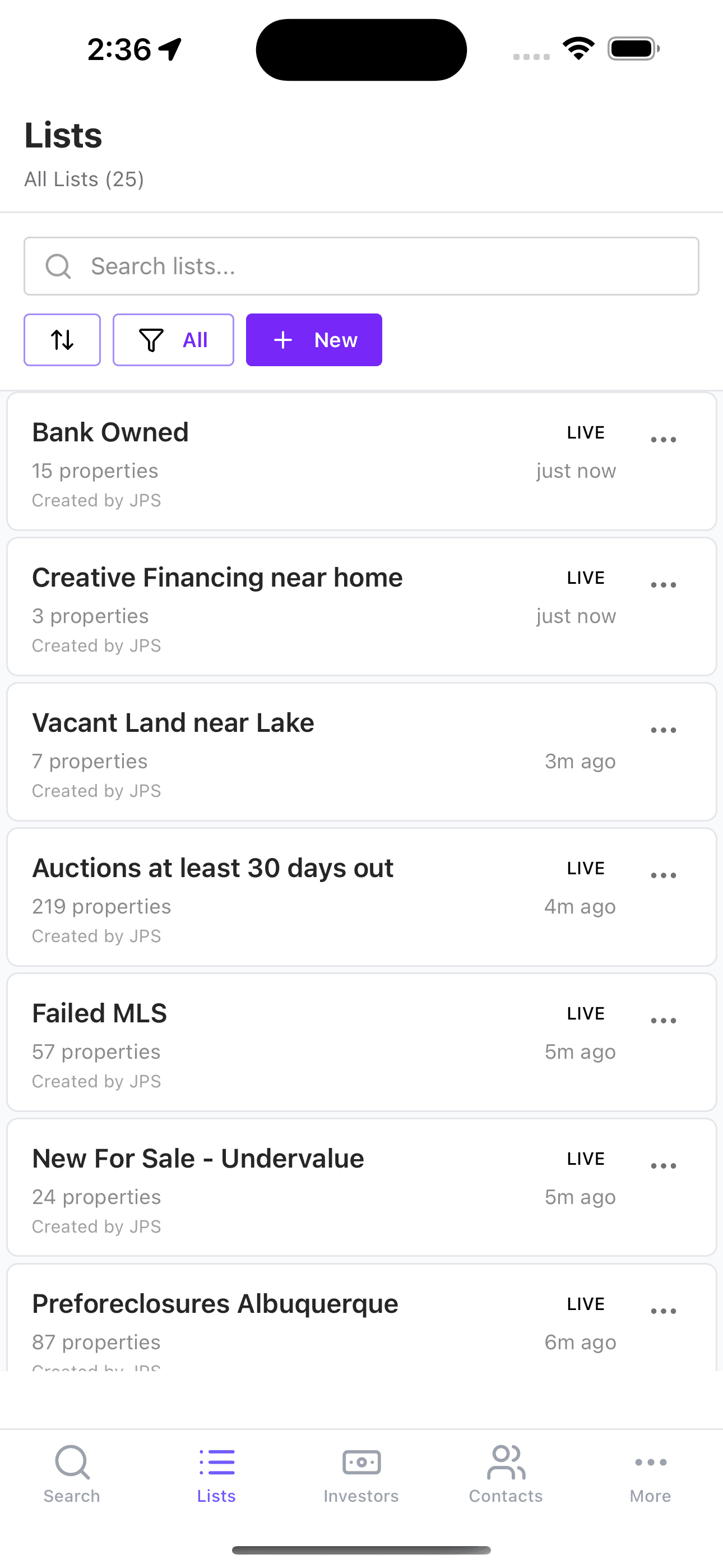
Live Lists turn a one-time property search into an always-on investor watchlist. Instead of rerunning the same criteria manually, you save the search once - including multiple cities, ZIP codes, counties, or drawn map areas - and JustPropertySearch keeps checking for new matching properties, removals, and changes so your team can react faster.
7 days free, then $39/mo • Love it or cancel in 2 clicks. No calls.
Definition
Live Lists are saved searches that continue monitoring property criteria after you leave the page. They are designed for investors who want ongoing visibility into the same market, lead type, or buying box without rebuilding filters every day.
They are especially useful when your market is not one clean boundary. You can combine a set of cities, ZIP codes, counties, addresses, or custom drawn areas into one search and save that as a single Live List, so "my north Atlanta buy box" or "my top five rental ZIPs" becomes one monitored operating queue instead of several disconnected lists.
In practice, a Live List is most useful when your strategy depends on timing. If you care about new distressed leads, newly matching absentee-owner records, or a targeted acquisition box in a specific neighborhood, a static export gets stale quickly. A Live List is meant to keep that workflow current.
How It Works
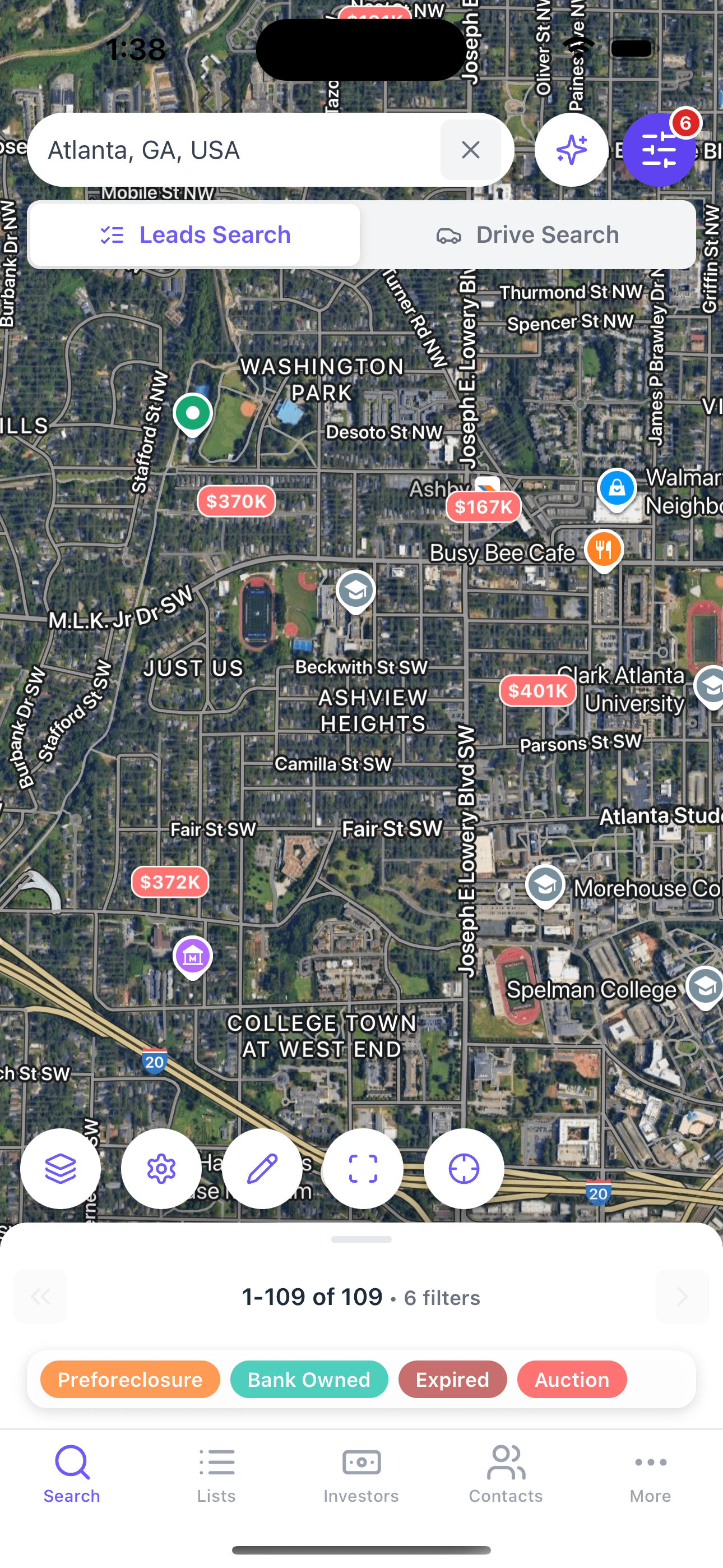
- Build a property search using filters, one location, multiple selected locations, map boundaries, or AI-assisted search.
- Save that search as a Live List instead of treating it as a one-time result set.
- JustPropertySearch checks for new matches against current property data and updates the list as properties enter or leave the criteria set.
- Your team reviews additions, removals, and follow-up opportunities without starting from scratch.
This is especially useful for investors who watch the same submarkets repeatedly and want a tighter loop between search, list management, and outreach. Instead of creating a separate saved list for every nearby city or ZIP code, you can monitor the combined geography that matches how you actually buy.
When to Use It
- When you want to monitor a consistent buying box across the same neighborhoods
- When your target market is a cluster of cities, ZIP codes, counties, or custom drawn pockets
- When you are tracking preforeclosure, absentee-owner, vacant, or MLS-related lead sets over time
- When you want a list-building workflow that stays current between outreach cycles
- When you need a repeatable market-monitoring system for a team instead of a one-off export
Workflow or Example
An Atlanta wholesaler might build a search around older single-family homes, absentee ownership, and recent distress signals across Roswell, Alpharetta, Milton, and a few nearby ZIP codes. Instead of exporting the results once or maintaining separate lists for each location, the team saves the combined criteria as a Live List, reviews new additions each morning, and prioritizes outreach only on the latest matching records.
That workflow is usually stronger than rebuilding the same search manually because it creates continuity. The list becomes the operating queue rather than a disposable report.
Pros
- • Cuts down on repeated manual searches
- • Keeps market-watch workflows current
- • Lets investors monitor multiple target locations in one list
- • Works well with targeted lead filters and neighborhood strategies
- • Helps teams review only what changed instead of rechecking everything
Cons
- • Works best when your search criteria are already well defined
- • Broad criteria can create noisy lists that still need refinement
- • You still need a follow-up process after new matches appear
Risks
- • If filters are too loose, the list can become operational clutter
- • Time-sensitive leads still need validation before outreach
- • Coverage and update timing can vary by source and geography
Step-by-Step Workflow
Step 1
Define the buy box
Set the exact geography - one market or several selected locations - plus property type, lead signals, and any ownership or equity filters that actually match your strategy.
Step 2
Save the search as a Live List
Turn the search into a reusable monitoring asset instead of a one-time result page.
Step 3
Review changes on a schedule
Focus on new additions and meaningful changes so your team spends time on movement, not repetition.
Step 4
Push winners into outreach
Move the strongest properties into your list, CRM, or contact workflow for calls, mail, or deeper analysis.
Screenshots
Frequently Asked Questions
How often do Live Lists update?
JPS describes its public property data as updating daily, and Live Lists are designed to keep monitoring saved criteria as matching properties change.
Can I use Live Lists with preforeclosure searches?
Yes. Live Lists are a strong fit for lead types that change over time, including preforeclosure-focused workflows.
What happens when a property no longer matches the criteria?
The list is intended to reflect the current criteria set, so removals and changes become part of the monitoring workflow rather than something you have to find manually.
Related Pages
Feature
Preforeclosure Search
Use JustPropertySearch preforeclosure search to find early distress signals, layer filters like equity and ownership, and prioritize investor outreach more effectively.
Feature
Virtual Driving for Dollars
Use JustPropertySearch Virtual Driving for Dollars to scan neighborhoods remotely, identify properties from Street View, and move promising addresses into your investor workflow.
Guide
How to Find Off-Market Properties
Learn how investors use JustPropertySearch to find off-market properties by combining filters, preforeclosure research, virtual driving for dollars, and ongoing list monitoring.
Ready to put this to work?
Start a free trial and run it on your own markets in minutes.
7 days free, then $39/mo • Love it or cancel in 2 clicks. No calls.